This tutorial walks you through creating your own US Apple ID. No VPN required, no US phone number, no US credit card needed.
What You Need
- A phone number (a domestic number works, even one already linked to a non-US Apple ID)
- An email address not previously registered with Apple ID
- A US address (use the US Address Generator)
Generate a US Address
Open the US Address Generator and generate a tax-free state address to use as your billing address later.
Register Your US Apple ID
Fill In Your Information
Go to the Apple ID registration page at https://appleid.apple.com/account.
Important notes:
- Set Country to United States
- Age must be over 18
- Use an email address that has never been registered with Apple ID
- Password cannot contain your name, birthday, or any part of your email
- Your domestic phone number is fine for verification
- Choose SMS as the verification method

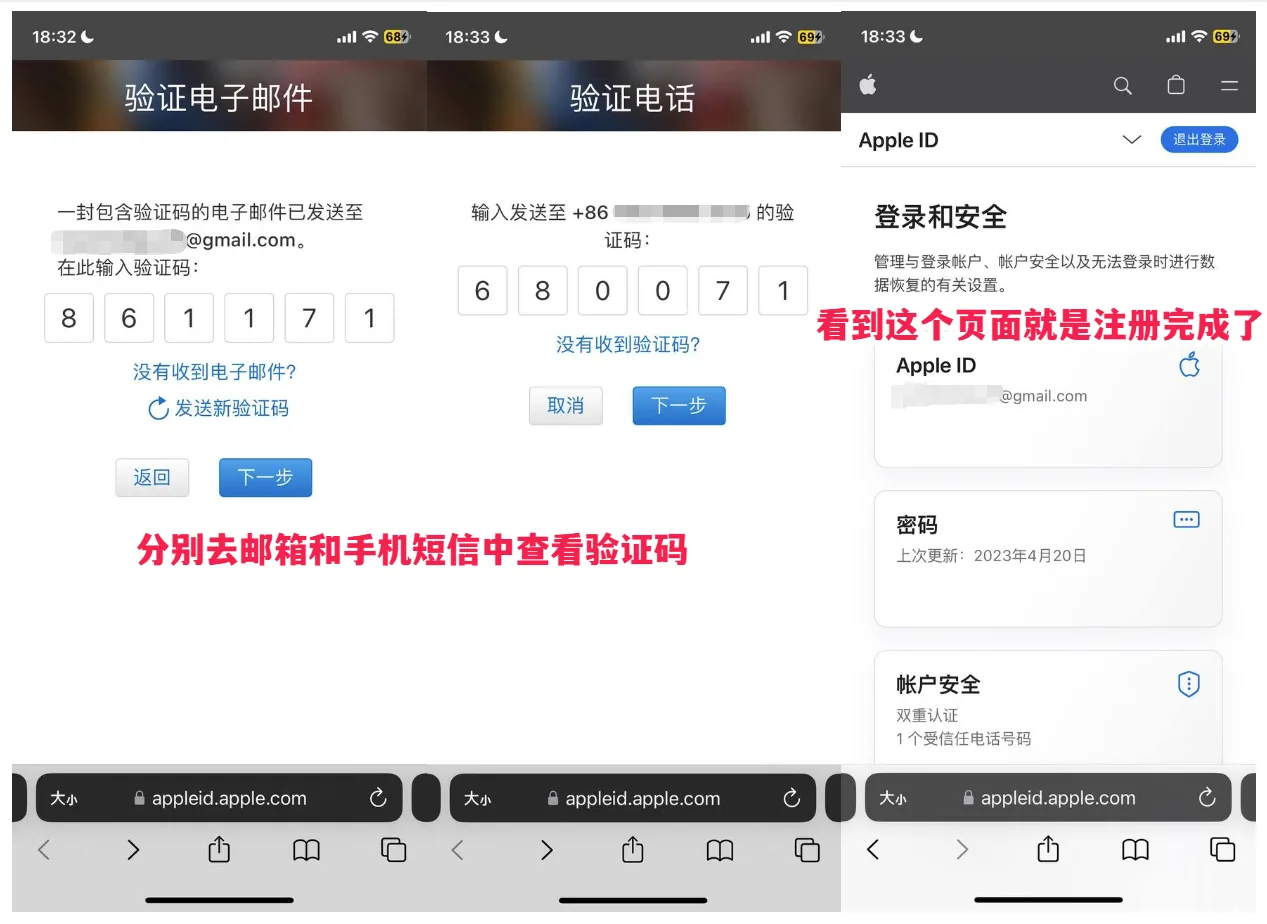
Email and Phone Verification
Verify your email and phone number to complete registration.
Sign In to the US App Store
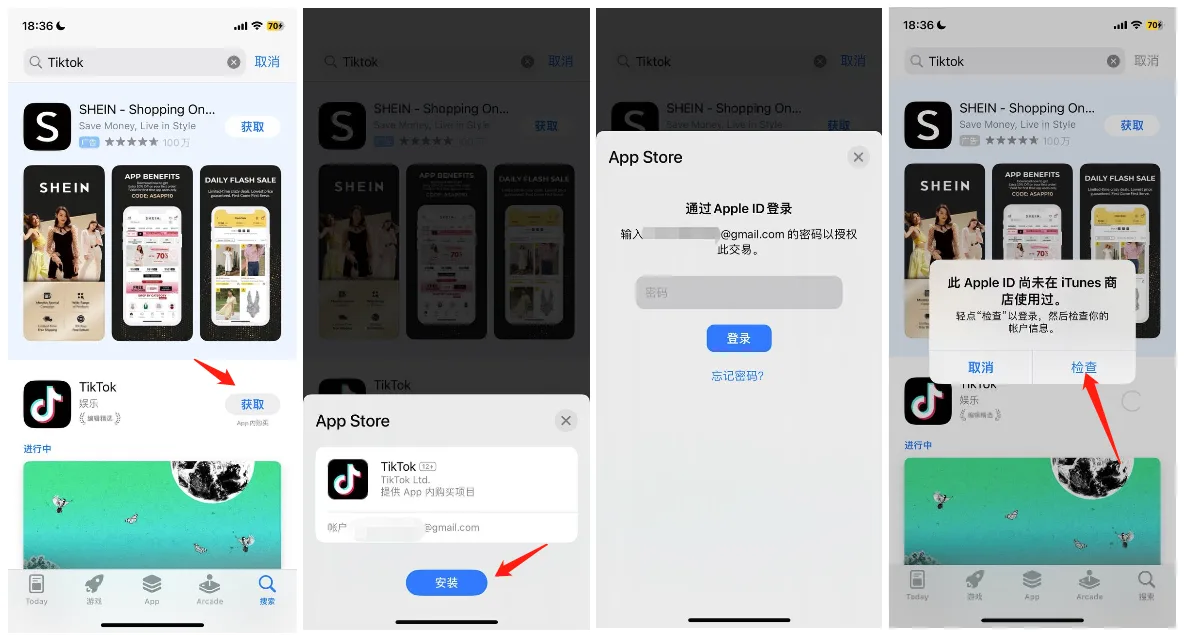
Open the App Store, tap your profile picture in the top-right corner, scroll to the bottom, and sign out of your current account. Then sign in with your newly registered US Apple ID.
Complete Your Payment Information
After signing in, the store will automatically switch to the US storefront. Find any free app (for example, TikTok) and tap Get. A prompt will appear: “This Apple ID has not yet been used in the iTunes Store.” Tap Review to complete your profile.
You will be asked to fill in a payment method and billing address. Follow the steps below carefully:
- Leave the Payment Method field set to None
- Use the US address you generated earlier as the billing address (avoid Alaska addresses)
- Fill in all fields and tap Next
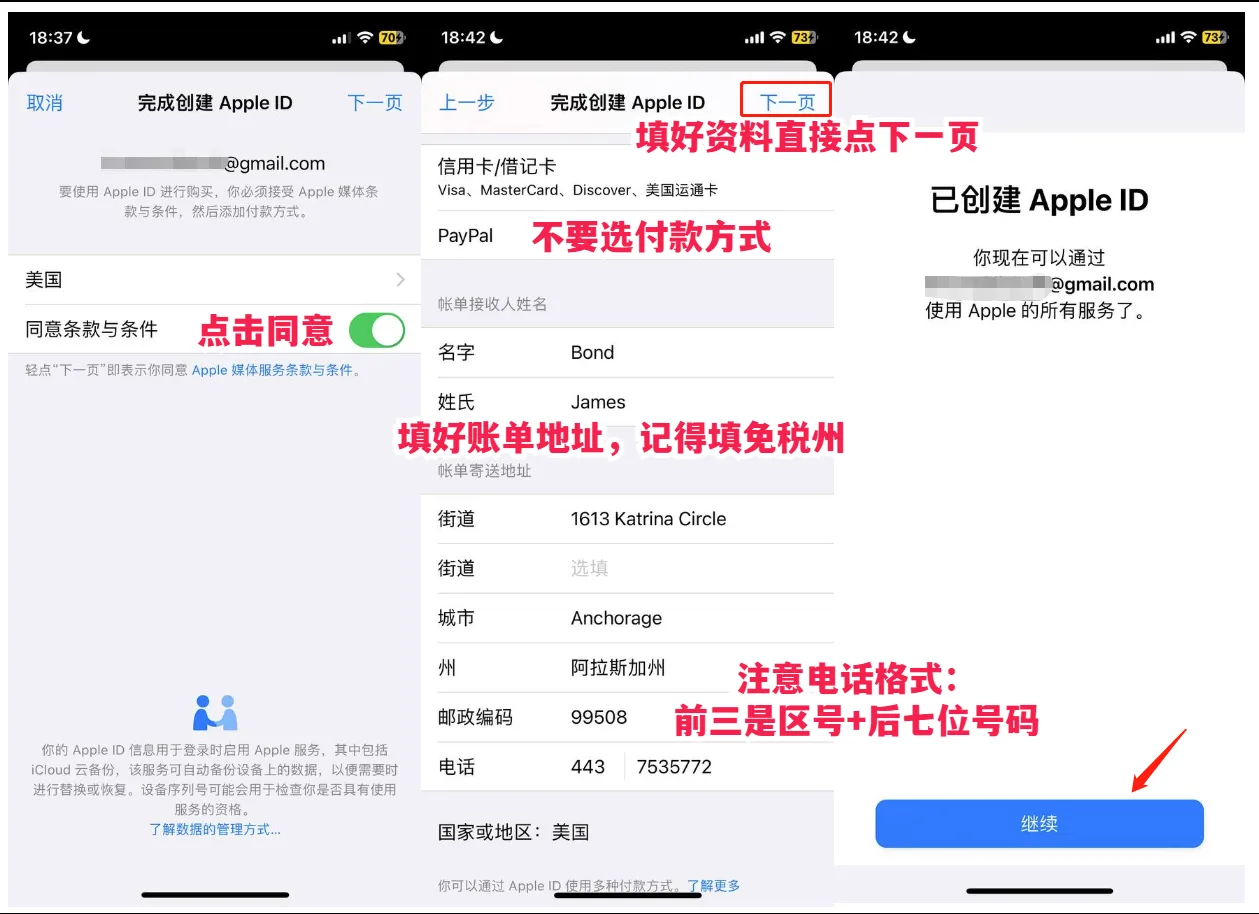
Your US Apple ID is now fully set up.
FAQ
- I was not asked to fill in account information after registration
- Sign in on the official Apple website, then add your payment method and billing address manually.
- Apple ID registration keeps showing “Your account cannot be created at this time”?
- Call Apple Support at 400 666 8800, explain the situation, and provide the email address you want to use for registration. Support can usually adjust it in about one minute, and you should be able to register immediately afterward.
- App Store still shows the China storefront after signing in
- Sign in to iCloud, then change the region there.
What’s Next?
If you have a Visa or Mastercard credit card, you can purchase a US App Store gift card from the Apple website to add credit to your account — unlocking paid apps like Apple Music or Shadowrocket.